Register each let home in England on GOV.UK, get your answers from Abodient, and save the registration number.
England is opening a national register of rental homes. Each let home in England has a Register your rental property row on its Compliance tab. It tells you when to register, gives you the answers the form asks for, and keeps your registration number.
When it opens
The register opens on 15 December 2026, region by region. Each region has three months to register. Your home's region comes from its postcode. West Midlands opens first, on 15 December 2026, and South West is last, closing on 14 November 2027.
Until your region's deadline the row is Optional. It counts nowhere. After the deadline, an unregistered let home shows Missing. The fee is £65 a year for each home, and nothing is charged for days before 15 November 2027.
Find the row
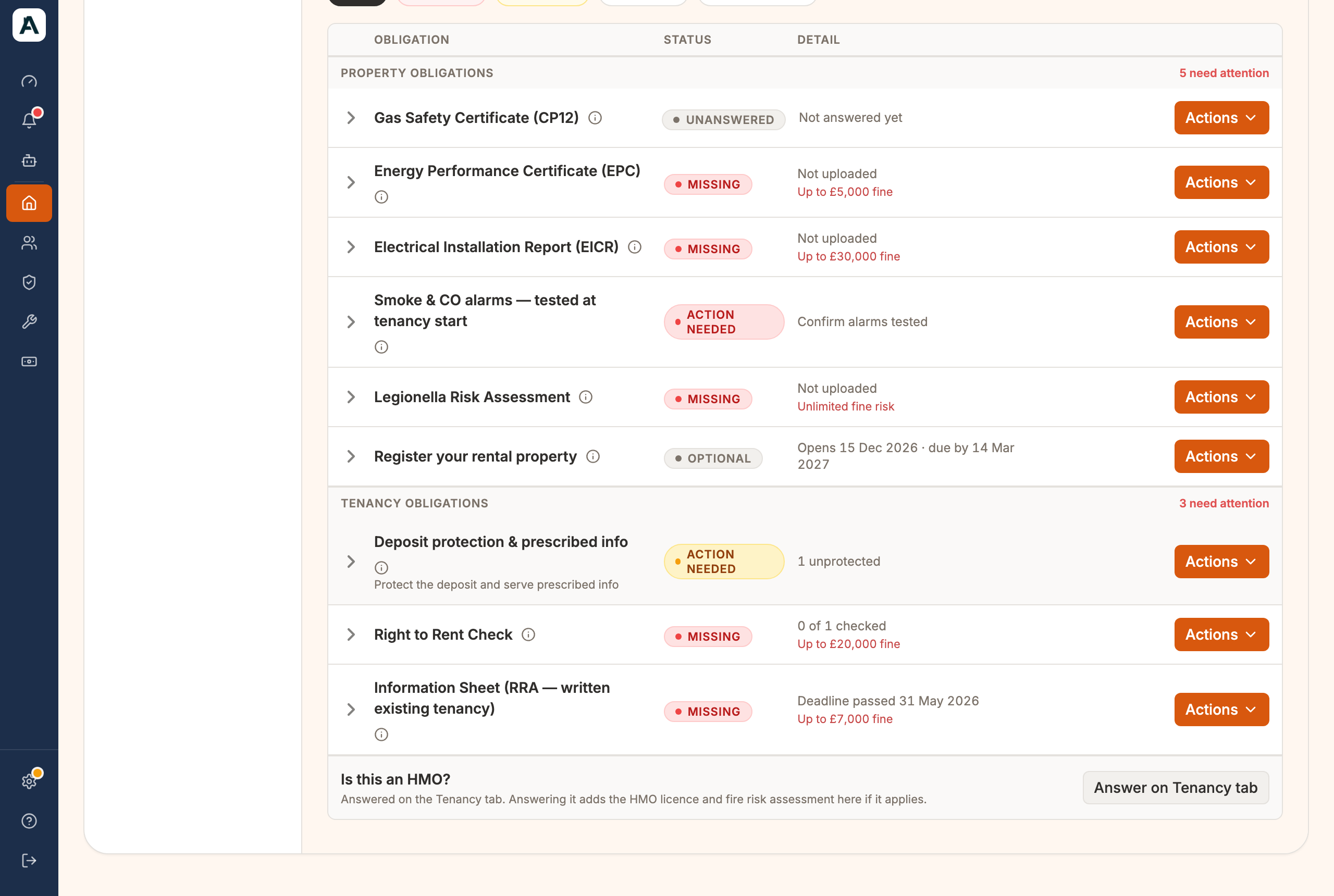
Open the home, choose Compliance and find Register your rental property. Today it reads Optional, with the date it opens and your deadline.
 📱 Mobile screenshot coming soon
Select the row to see Your region, Registration window and Cost.
Get your answers ready
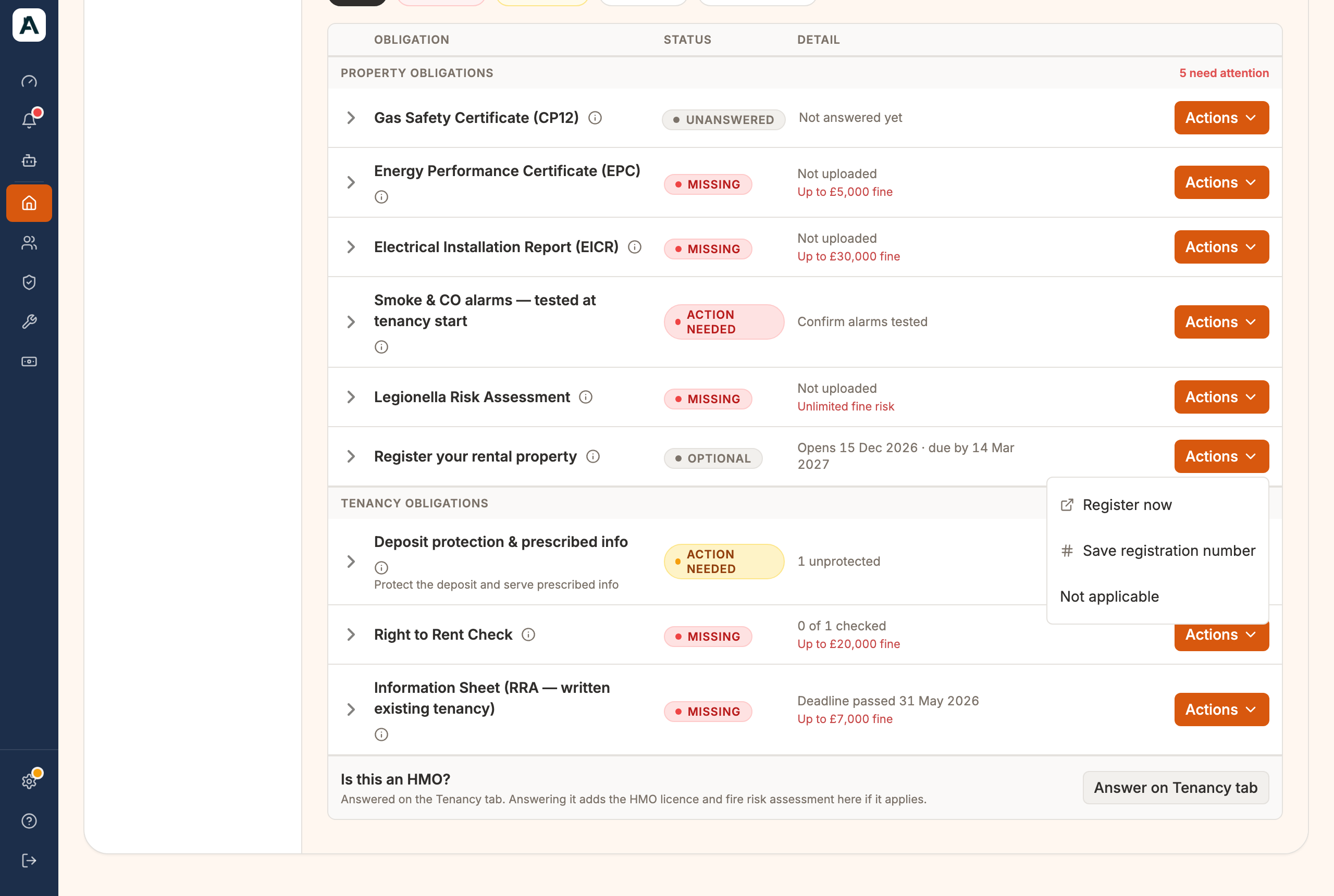
- Select Actions, then Register now.
 📱 Mobile screenshot coming soon
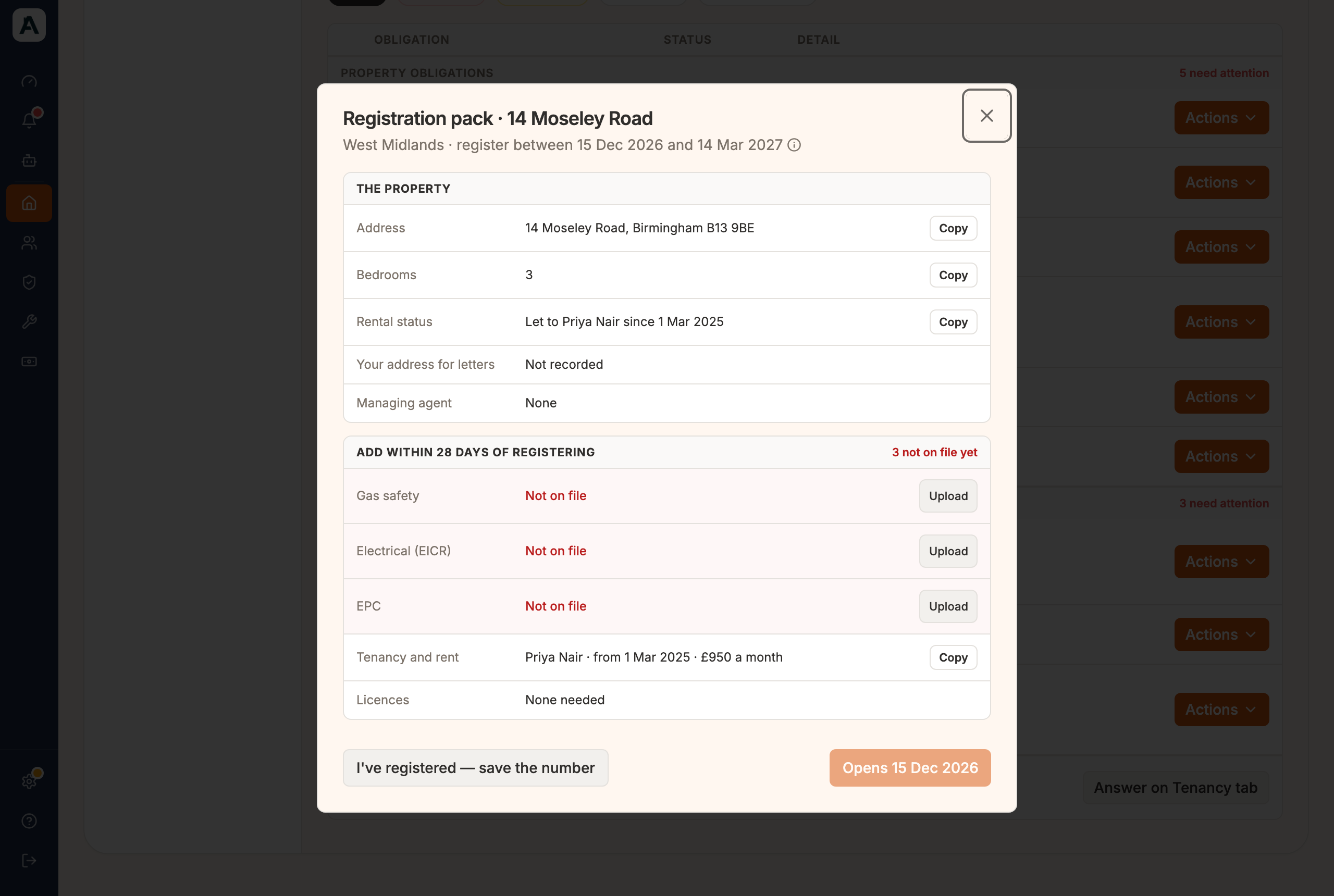
Registration pack opens. It holds every answer the GOV.UK form asks for, each with a Copy button: address, bedrooms, who it's let to, your address for letters and any managing agent.
 📱 Mobile screenshot coming soon
- Under Add within 28 days of registering, check your gas safety, Electrical (EICR) and EPC. A certificate that is Not on file has an Upload button, so you can add it before you start.
- Once the service has opened, select Open Register your rental property. Until then the button reads Opens 15 Dec 2026. GOV.UK takes you through the form, and you paste in the answers.
Save your registration number
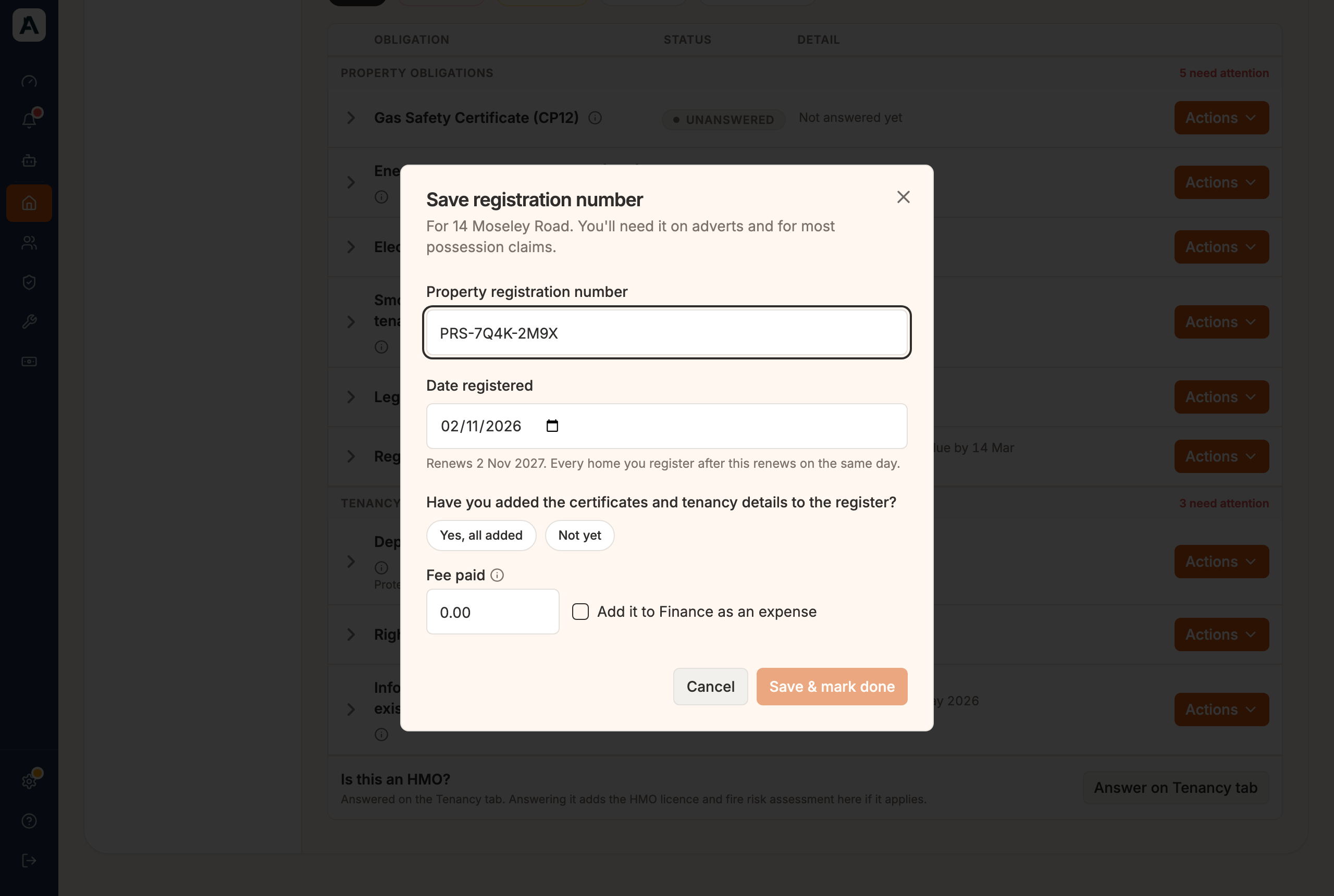
When GOV.UK gives you the number, come back and select I've registered — save the number, or choose Save registration number from Actions.
 📱 Mobile screenshot coming soon
- Type the Property registration number.
- Check the Date registered. It tells you when it renews.
- Choose Yes, all added or Not yet for the certificates and tenancy details.
- Check Fee paid. It starts at the fee worked out for your date. Tick Add it to Finance as an expense if you want it recorded there.
- Select Save & mark done.
The row then shows your number and when it renews.
Good to know
- Every home renews on one date. The first home you register sets it. Later homes follow the same day.
- Renewing. The row turns to Expiring 30 days before. Select Renewed — move the date on a year once you've renewed.
- 28 days to finish your record. If you chose Not yet, the row reads Action needed with the date. Select I've finished my record when it's done.
- Not a let home? Choose Not applicable only if the home isn't let, or the letting isn't one the register covers.
- Only England. A Scottish or Welsh home has no such row.
- An agent can read the pack, but GOV.UK has the landlord start the registration.
If something's not right
- No row on a home? The row appears for a home in England once it has a tenant, including a house let by the room.
- Wrong region or deadline? The region comes from the postcode in the home's address. Correct the address.
- A certificate you uploaded still not counted? The pack reads Uploaded — confirm the details until you confirm what we read from it. Confirm it on the Compliance tab.