Every file for one property, and the details we pull out of them.
Open a property and choose Documents. It holds every file for that property in one place, and reads the key details out of each one. A building's Documents tab works the same way.
File a document
Drop a file onto Build your property handbook. We file it and read its dates, people and terms.
Not sure what a file is? A bar reads, for example, 1 document waiting to be confirmed. Select Confirm to check what we read. Until then it doesn't count towards your compliance.
A gas or electrical certificate also updates the Compliance tab with its expiry date.
Find a file
Select My documents at the top right, then Review and share my documents. Create document or notice, in the same menu, makes a new one. See Creating a document or notice.
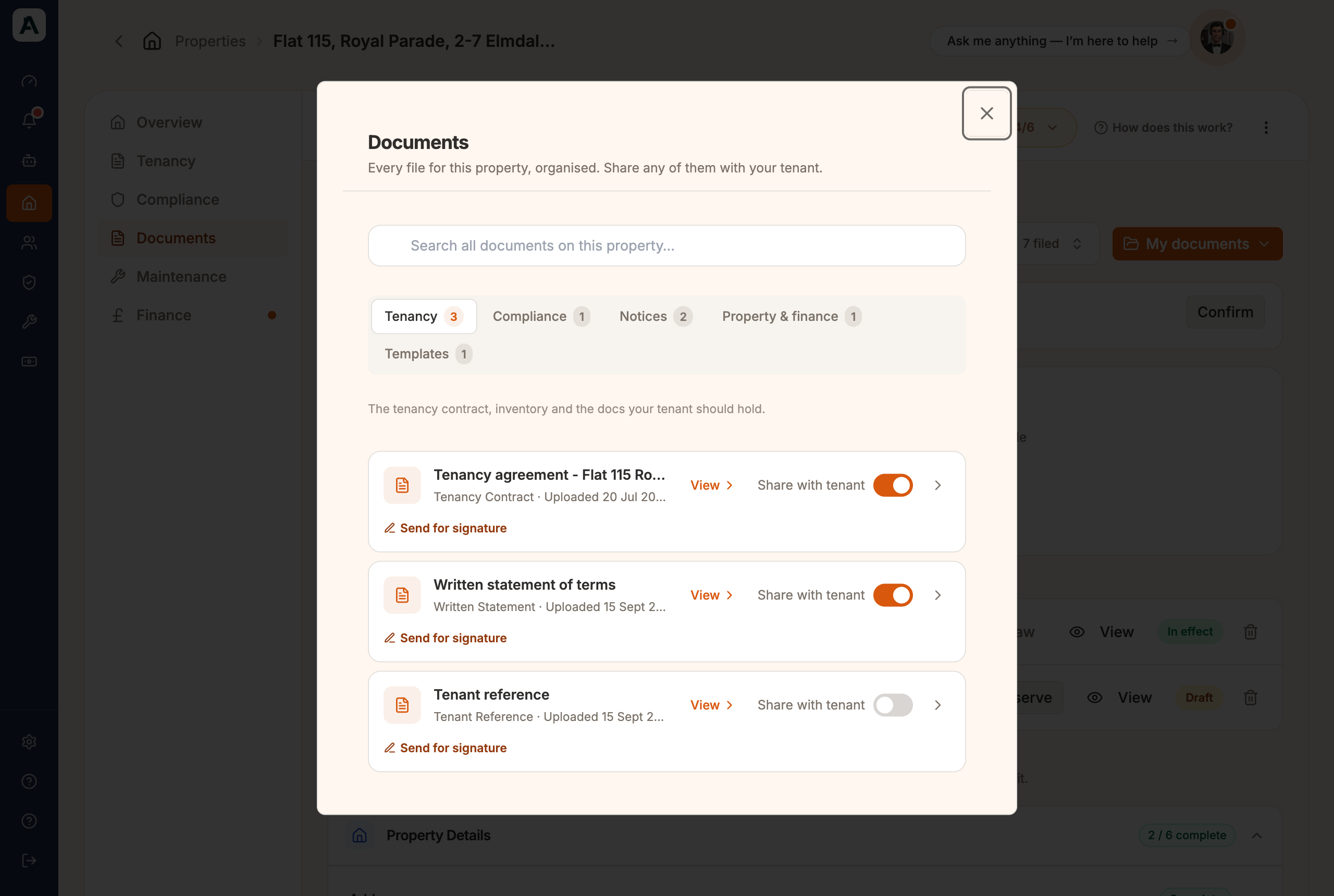
The Documents window lists every file under Tenancy, Compliance, Notices, Property & finance and Templates. The Find a document box on the tab searches them all.
📱 Mobile screenshot coming soon
Share a file with your tenant
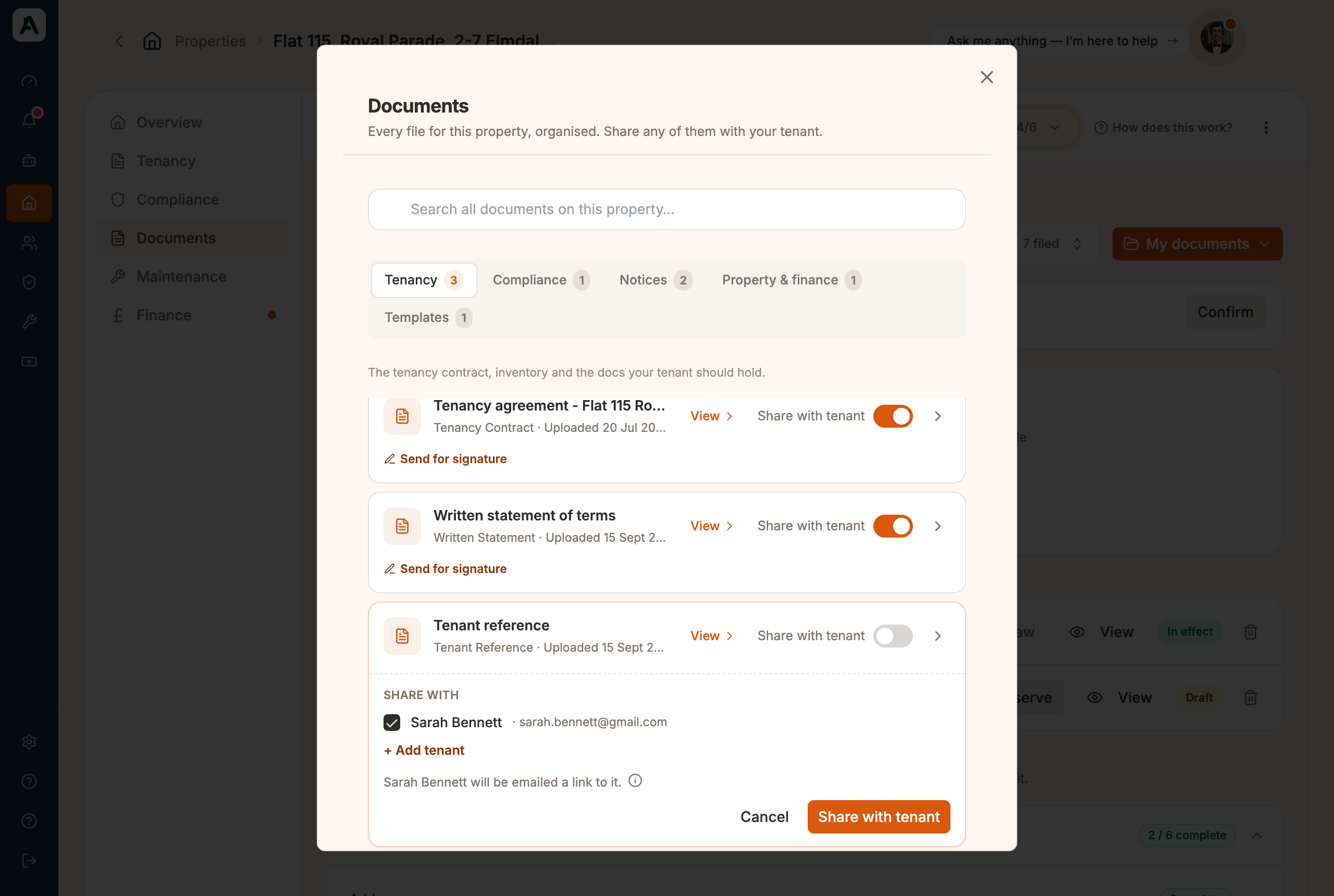
In the Documents window, switch on Share with tenant beside the file.
Untick anyone on the tenancy who shouldn't see it.
Select Share with tenant.
📱 Mobile screenshot coming soon
Each person is emailed a link. Anyone not on Abodient yet is marked Not on Abodient yet and gets an invite instead. To take a file back, switch it off again. See The tenant portal for what your tenant sees.
Good to know
Notices are served, not shared, so they have Review & serve instead of the switch.
A tenant with no email shows + Add email in the list. + Add tenant adds someone new to the tenancy as you share.
On a shop or office the switch reads Share with occupier.
Property Details, further down the tab, shows what we know about the property: address, tenure, energy rating and the answers that decide which certificates it needs.
If something's not right
Filed under the wrong heading? Move it. Nothing depends on where it landed.
A detail read wrongly? Open the file and correct it. The app uses the value, not the file.
Your tenant can't see a file? It isn't shared yet. Switch on Share with tenant.

 📱 Mobile screenshot coming soon
 📱 Mobile screenshot coming soon