Let a partner, a colleague or a bookkeeper into your portfolio.
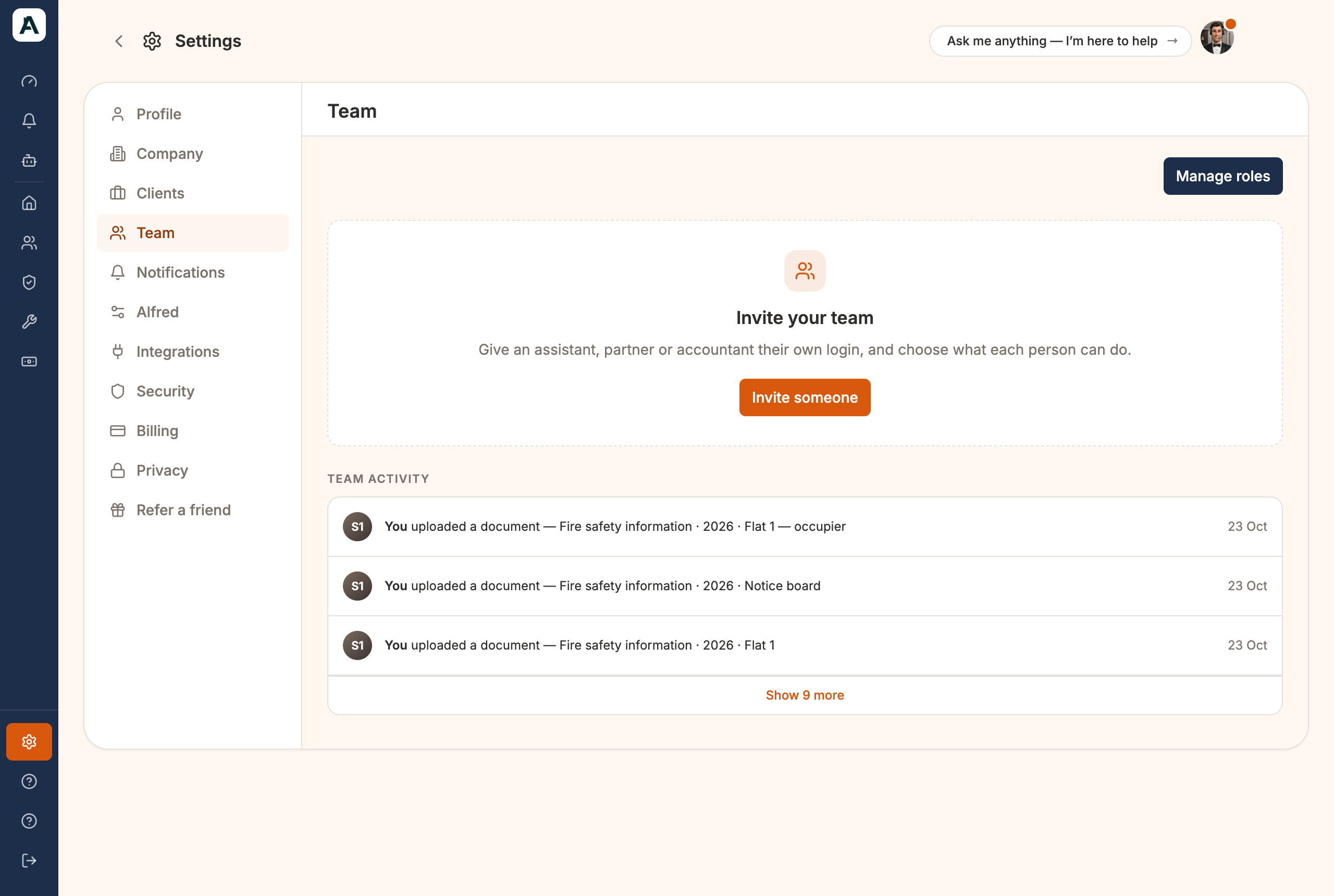
Give an assistant, business partner or accountant their own login instead of sharing yours. Set it up on the Team tab in Settings. Everything they do is recorded under their name.
📱 Mobile screenshot coming soon
Invite someone
Select Invite someone.
Type Their email address.
Choose a role under Default roles. Owner is picked to start with, so change it if you need to.
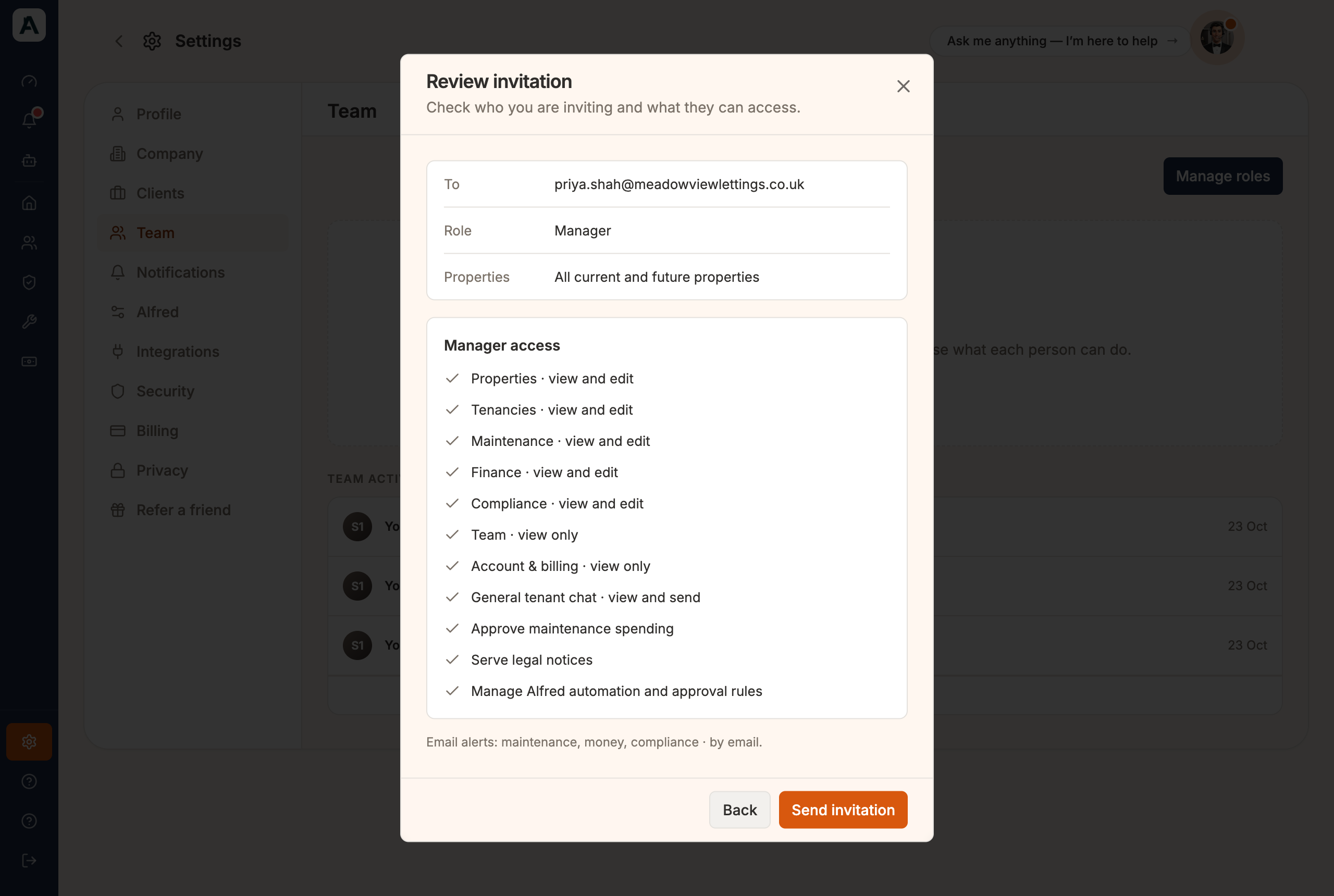
Select Review invitation.
Check who you're inviting and what they'll be able to do, then select Send invitation. Nothing is sent before that.
📱 Mobile screenshot coming soon
They get an email from Abodient. The invitation lasts 7 days.
The four roles
Owner can do everything you can, including billing and inviting others.
Manager runs the day to day: properties, tenancies, repairs, money, certificates and tenant messages. They can't invite people or change billing.
Maintenance sees repairs only, and talks to contractors and tenants about a job.
Viewer can look at everything and change nothing. It suits an accountant.
Every role covers all your properties, now and in future.
Change what a role can do
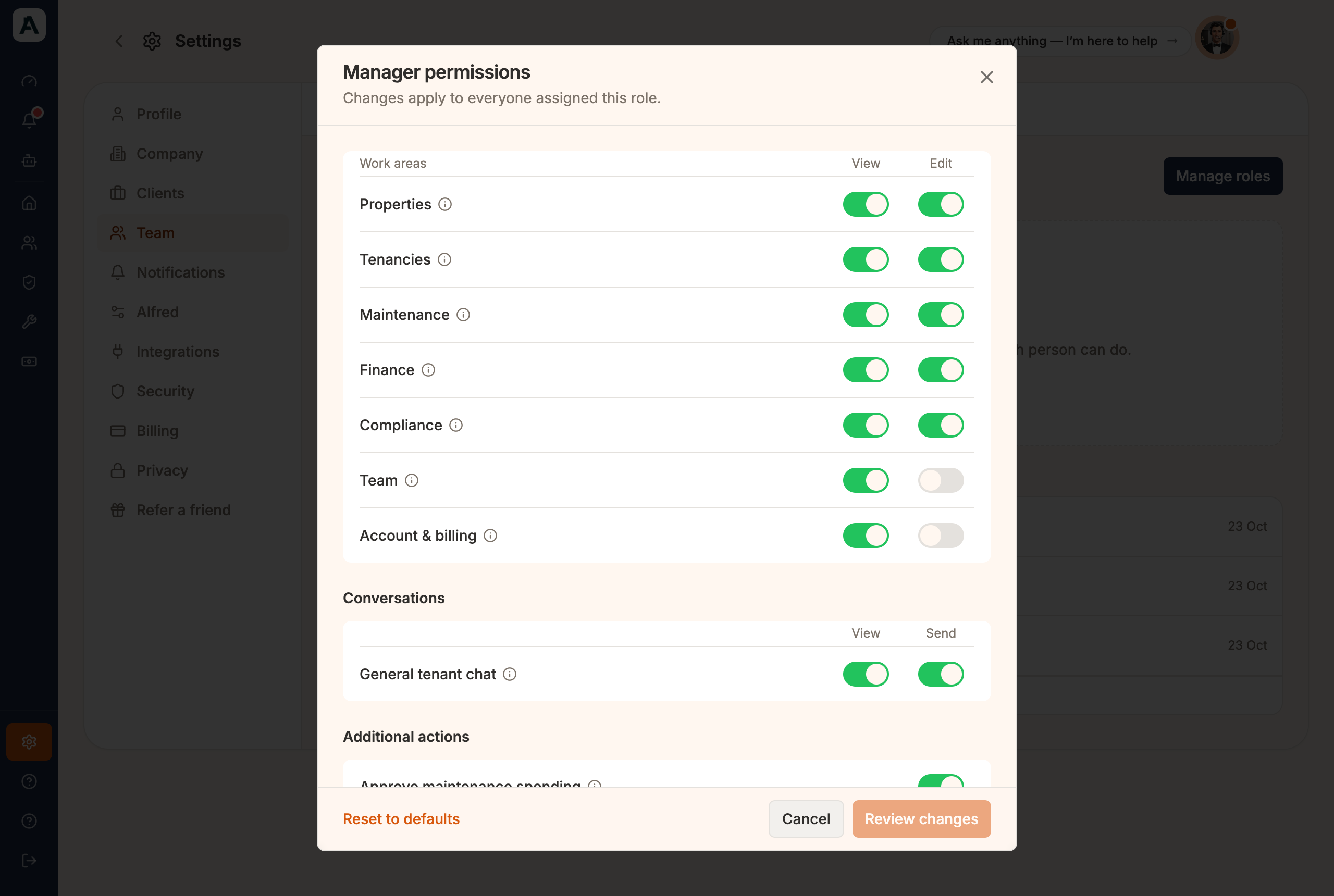
Select Manage roles at the top right of the Team tab.
Select a role. Each area has a View and an Edit switch. Additional actions covers approving spending, serving notices and Alfred's approval rules.
Change what you want, then select Review changes.
Select Save permissions. It applies to everyone with that role.
📱 Mobile screenshot coming soon
None of the four fits? Select Create role, name it (say, Bookkeeper) and switch on what it may do.
Good to know
Owner is locked and can't be changed. Reset to defaults puts any other role back as it came.
A role you create can never sign as you, edit roles or close the account.
Email alerts in the invite window sets which alerts they start with. Once they join, they choose their own. They only get the alerts their role can open, and their Inbox is cut down the same way.
To change someone's role, select their name, then Change role. Remove access takes them off. Everything they recorded stays.
If something's not right
Invite not arrived? Check the address and their spam, then select Resend under Pending invitations.
Gave too much access? Change them to Viewer, or remove them. Your own login isn't affected.
No Invite someone button? Only an Owner can invite people.
 📱 Mobile screenshot coming soon
 📱 Mobile screenshot coming soon
 📱 Mobile screenshot coming soon