The dates a commercial lease turns on — review, break, expiry, the Section 25 window — and the eight notices.
This article explains the dates a business lease turns on, the reminders Abodient gives you for them, and how to record a notice to or from your occupier. The 1954 Act, rent reviews and break clauses all run on strict dates. The example is Unit 3 Cordwainer Row, let to Pennyroyal Provisions Limited. Key dates and notices are on the Lease tab.
Abodient works the dates out from the lease terms and lists them under Key dates.

Change a date with Edit beside Key dates.
A Lease events card on your dashboard lists these dates across all your commercial units, soonest first. If you do not see it, add it from Configure.

The dates that cost money when missed also arrive in your Inbox, on the Tasks tab, tagged Lease.
A break reminder only appears when you can use the break. If only the occupier can, there is nothing for you to serve. If the lease gives no notice period, Abodient assumes six months and says so on the task.
Each task has a button that opens the lease, or the Documents tab for insurance. Press Mark done when you have dealt with it, and it will not come back. If you change a date, the old reminder closes and a new one appears once the new date is inside its lead time. These reminders show in the app only. We do not email them.
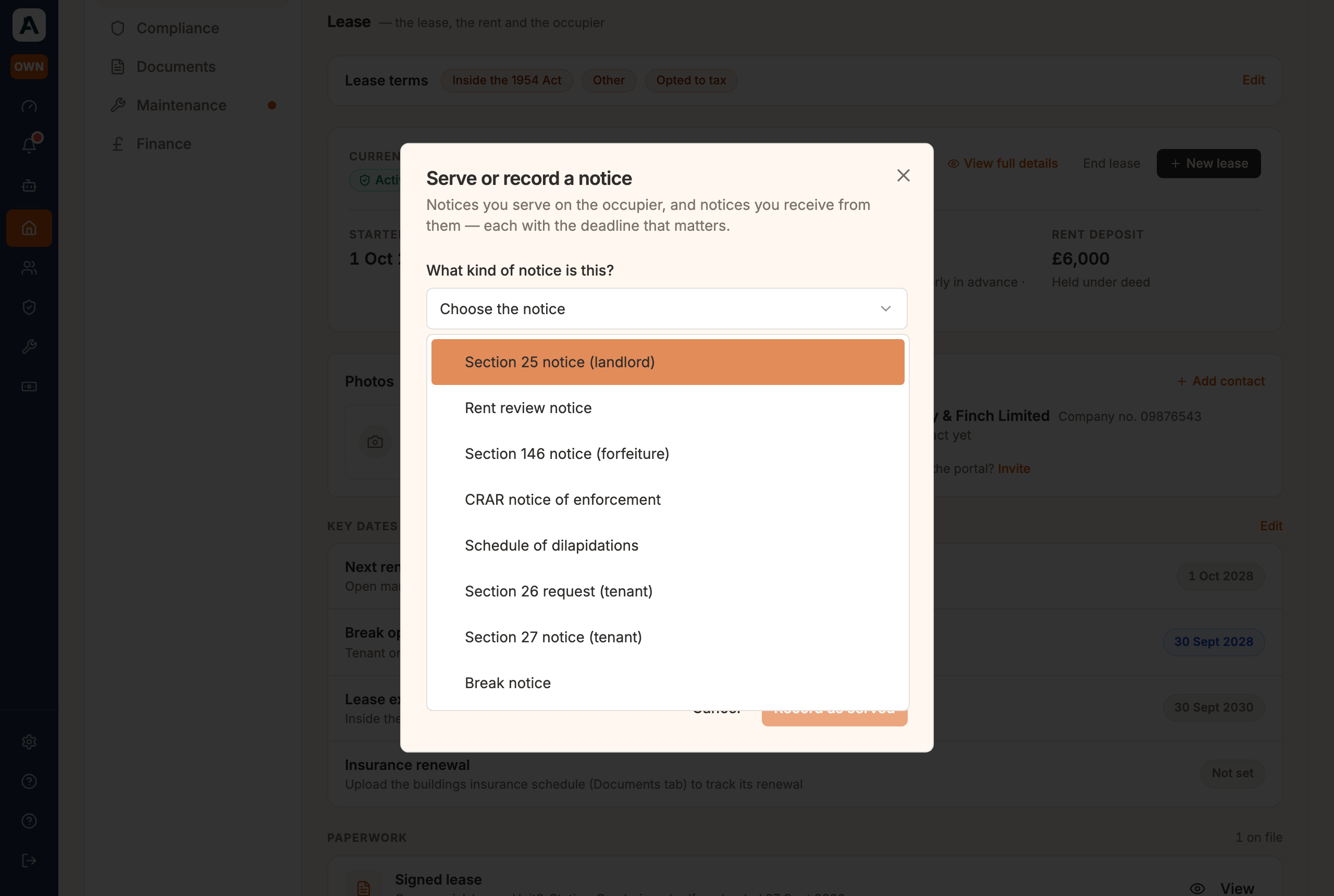
Notices run both ways between you and the occupier. Press + Serve or record a notice above the Notices list, then open the choice under What kind of notice is this?

There are eight types:
Attach the notice, set the date it was served and how, and press the button at the bottom of the window. Abodient records the notice and its deadline, and shares a copy to the occupier's portal if they have joined it. That copy is a courtesy. You serve the notice yourself and keep your own proof. Abodient keeps the record, not the legal act of service.
The Notices list then shows the notice as Served, with the date and either in occupier's portal or not shared. In the picture the rent review notice reads not shared although Pennyroyal is on the portal, because it was recorded on 16 September without a copy going to the portal. A notice recorded now would be shared to a joined occupier, except one the occupier serves, which is a record only.
 📱 Mobile screenshot coming soon
