Ask Alfred about your portfolio, and have him record receipts, rent, repairs and more. Every change waits for your approval.
Alfred is the assistant behind Ask me anything, at the top of every screen. Ask him about your properties in plain words. He answers from your own records and does the work for you. Anything that changes something waits for your yes first.
Select Ask me anything, or Chat in the side menu. A drawer opens beside the page you are on. Type in the box at the bottom.
Ask "who's behind on rent?", "which certificates are due?" or "what does Flat 2's tenancy say about pets?". He answers from your records. He can also look up landlord rules, including the Renters' Rights Act.

Say what you want done. Alfred fills in a card headed Waiting for your approval. Nothing has changed yet.

A card that contacts someone, such as a job sent to a contractor, is tagged reaches someone and names them.
Record a receipt. Attach a photo with the paperclip and say what it is for. He reads the amount, date and shop off it, as in the card above.
File a tenancy agreement or certificate. Attach the PDF and say which property it is for. He tells you what he read and flags anything that doesn't match or needs fixing. A card then asks you to confirm it.

Report a repair. Say "the kitchen tap at Flat 2 is dripping, can you get Hartley Plumbing out?". He raises the issue on a card. Sending the job to the contractor is a second card.

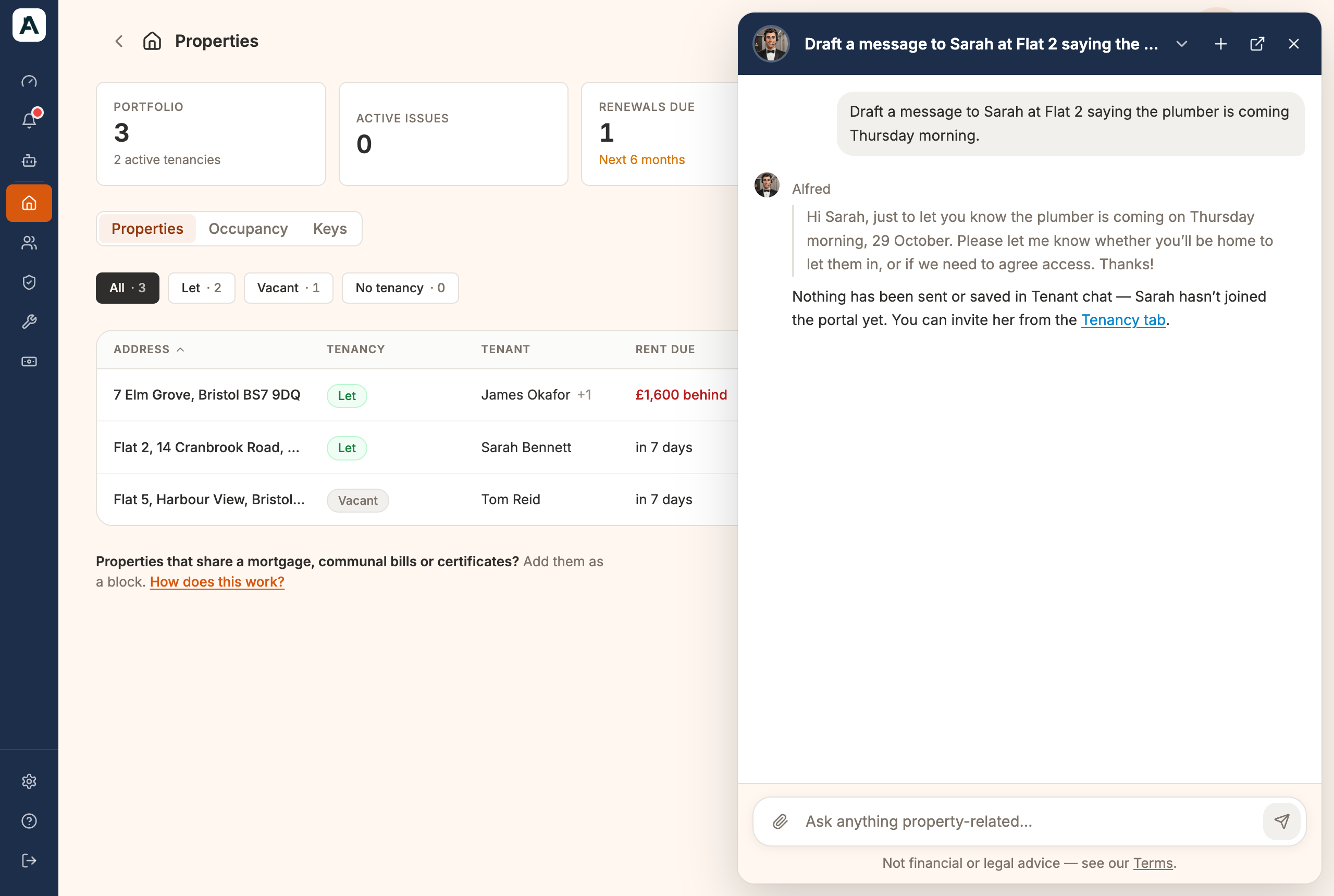
Write to a tenant. He drafts the message and leaves it in Tenant chat for you to send. If the tenant isn't on the portal yet, he shows you the wording instead.
 📱 Mobile screenshot coming soon
Ask what needs doing. Say "anything I should deal with this week?". He puts your to-dos in order.

He can also record rent you've received, add or change a property, share a document or send it for signature, and keep your tasks, contacts and keys up to date.