Open one issue and see the whole conversation behind it.
This page follows one repair your tenant reported, a dripping kitchen tap, on a property where Alfred is on. If Alfred is off, the report comes straight to you. See How repairs work.
Alfred asks where the problem is, how bad it is and whether anyone is at risk. Open the issue from the property's Maintenance tab, then select Tenant conversations to read the chat.

Nobody outside has been contacted yet. The note under the chat says Alfred is waiting for you.
Before any contractor hears about the job, a card appears in your Inbox under Approvals. Select Respond to open it.


While the card waits, the issue shows 1 decision waiting.

Alfred asks the contractors for quotes. When they're in, a card reads Quotes are in — choose who does the job. Open the issue's Contractor tab and select Choose beside the one you want.

Alfred agrees a time with the contractor and your tenant. Once it's set, the Visit step shows the date and hours.

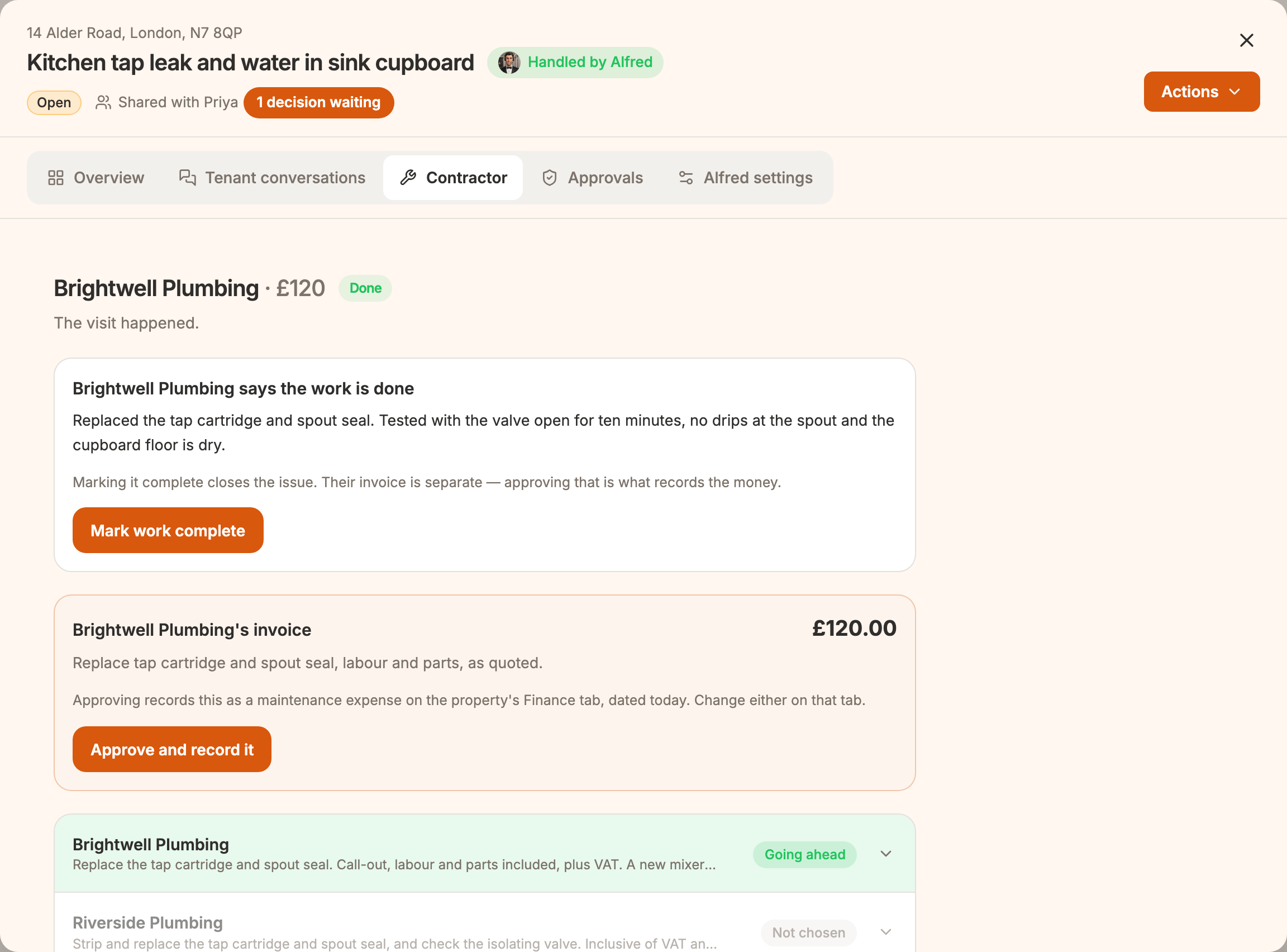
The contractor reports the work from their job page. Then, on the Contractor tab, in either order:
 📱 Mobile screenshot coming soon
Alfred also asks your tenant once whether it's fixed, and records the answer. When it's all done, every step is ticked and the issue reads Resolved.

You can take over at any stage. Open Actions and choose Pause & take over.

Select I'll take it from here.

Anyone still quoting is told it's no longer needed. A contractor you've chosen keeps the booking. You can't hand the issue back to Alfred, so from then on you reply to your tenant yourself. See Logging a repair yourself.
