Write one update and send it to your tenants by WhatsApp, email or in the app, with a preview of what they receive.
Tell your tenants about the water being off, a visit or a change of plan. Write it once in Tenant chat and send it by WhatsApp, email, in the app, or any mix. Every picture here is your screen, in Abodient. The tenant's side is the message they receive.
On the Maintenance page, select Tenant chat in the Open issues card. On a property's Maintenance tab it is the Tenant chat card. On a phone it is the Tenant chat link.

Your tenancies are listed on the left. Each has three threads: In app, WhatsApp and Email.


The line under your message says who it reaches. It stays grey when every tenant you chose is reached, and turns red when someone isn't, with the reason.

Select Preview. What they'll receive shows each way as the tenant sees it. Switch between Email and WhatsApp with the buttons at the top.


Each tenant gets their own name and address. Select Back to change the words. Select Send to 4 when it reads right.
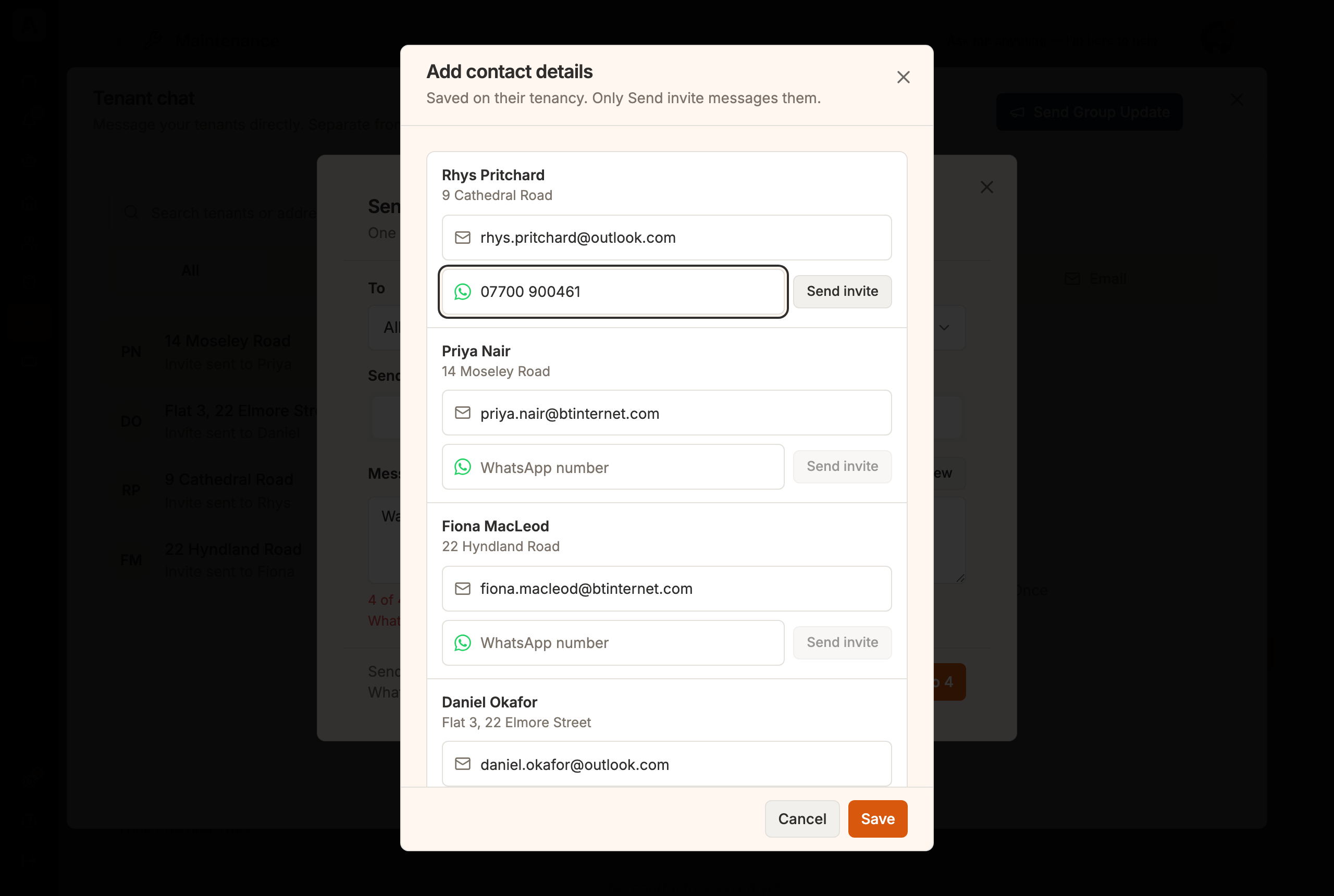
When the line is red, select Add contact details. Each tenant who is missed has a box for an Email address and a WhatsApp number. Select Save. The line updates.
 📱 Mobile screenshot coming soon
Saving a number messages nobody. Send invite is what messages them. It sends the WhatsApp invite, and the tenant taps Opt In. Until they do, their WhatsApp copy waits, then goes the moment they opt in. Their email still goes at once.
Select Send to 4. If someone won't get every way you ticked, you're asked first. Choose Add details to fix it, or Send anyway.
Your screen: each copy lands in that tenancy's own thread, with the time and Sent.

A reply comes back into the same thread. Writing to one tenant? Open their Email, WhatsApp or In app thread and write there. Send email shows the same preview first.